
Mastering EQ: The Beginner's Guide to EQ'ing a Snare Drum

What's Included in This Snare Drum EQ Breakdown?
You'll get the exact 5-step EQ chain, the real frequency numbers, and the order they go in, the same process Coach David Vignola uses to turn a flat, boxy snare drum into one that cuts through a full rock mix.
This breakdown is built around David's process for EQing a snare drum in a real rock session, using Studio One's stock Pro EQ3. Every frequency and setting below comes straight from that EQ chain: a low cut, two shape-defining moves, a high-end lift, and a final check against the whole mix.
You don't need Studio One or Pro EQ3 specifically to use this. Any EQ with a low cut, a couple of parametric bands, and a high shelf will get you the same result.
This is the second EQ breakdown in the series. If you haven't seen the companion session yet, start with the kick drum EQ guide for the low end this snare sits on top of, then come back here. Both come from David's How To EQ Like A Pro Even If You're New session on the Home Recording Made Easy YouTube channel.
Watch the full video for the complete walkthrough with the mix playing in real time, or grab the free mixing course if you want to build up to this with the fundamentals first.
Table of Contents
- Apply a Low Cut Filter to the Snare Drum
- Boost the Bottom End for Weight
- Cut the Boxy, Nasal Frequencies
- Enhance the High-End for Crack
- Fine-Tune the EQ in the Full Mix
- What Worked, and What to Watch For
- Frequently Asked Questions About EQing a Snare Drum
- Quick Recap
1. Apply a Low Cut Filter to the Snare Drum
Before touching tone, David starts every snare EQ with a low cut filter. It's the first move in the chain, and the one most beginners skip because the snare doesn't seem to have much going on below 100Hz.
"Tip number one is that before we even pull a plugin out, listen in the context of a mix."
Even when a snare track sounds clean solo, live-recorded snare drums pick up low-end rumble from the room and bleed from the kick drum. A low cut filter set between 70Hz and 90Hz with a steep 24dB/octave slope clears that rumble out without touching the snare's actual body, which starts higher up. The screenshot below shows the low cut band on Studio One's Pro EQ3 being dialed in at 75Hz on this exact snare track.
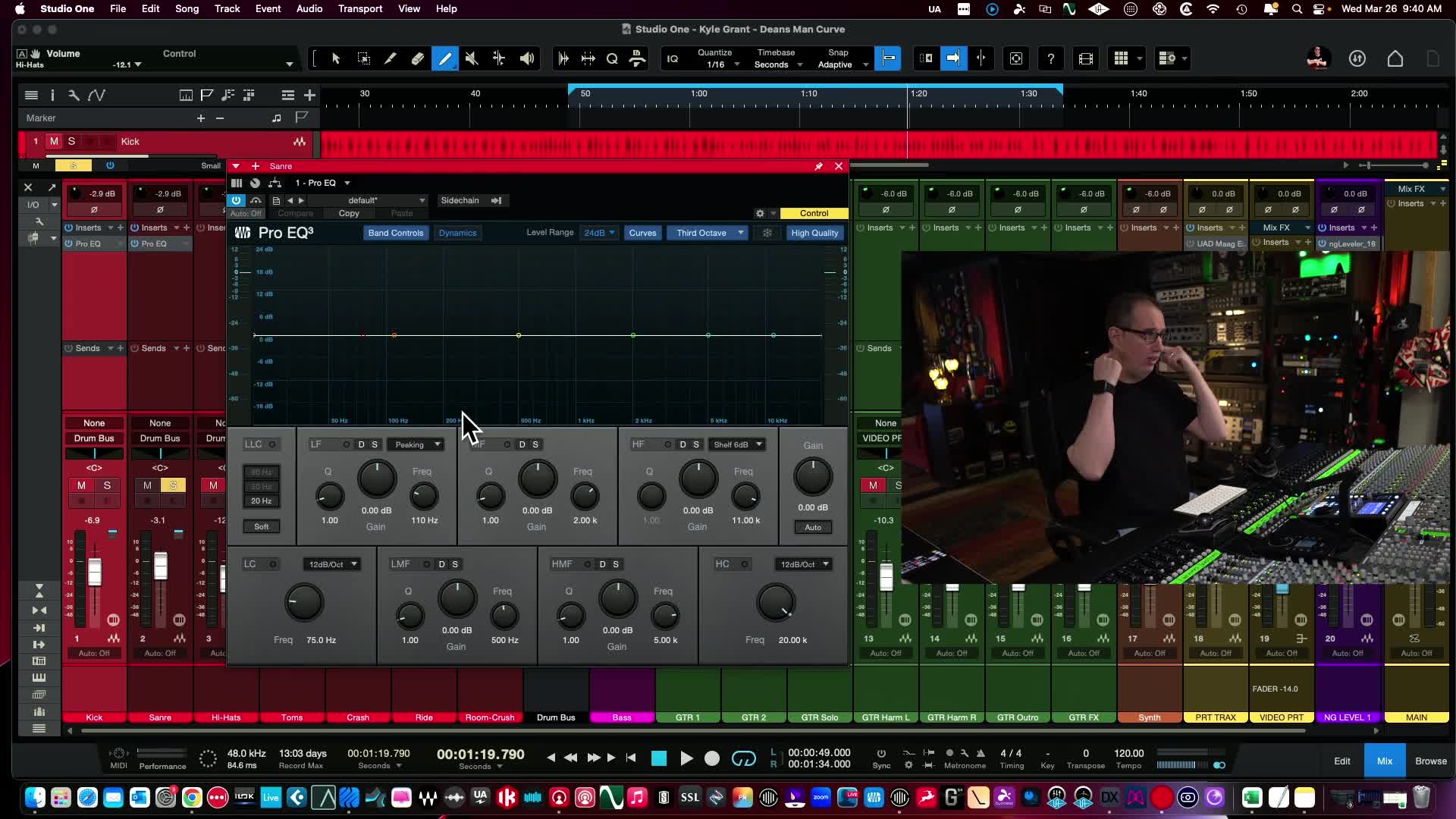
Try This In Your Own Mix
Set your low cut to around 80Hz, then keep raising the frequency until the snare starts to sound thin. Back it off slightly from that point, and that's your low cut filter, dialed in by ear instead of guessed.
If reading a frequency graph like this still feels like a foreign language, the free mixing course covers EQ basics from scratch before you touch a snare track.
2. Boost the Bottom End for Weight
With the rumble cleared out, the next move adds back the weight a rock snare needs to hold its ground next to distorted guitars.
David boosts a low-frequency band between 150Hz and 250Hz with a gentle Q, listening for the point where the snare gains thickness without turning boomy. In the screenshot below, that boost sits around 206Hz with roughly 4.5dB of gain, enough to add body without fighting the kick drum for space in the same low range.
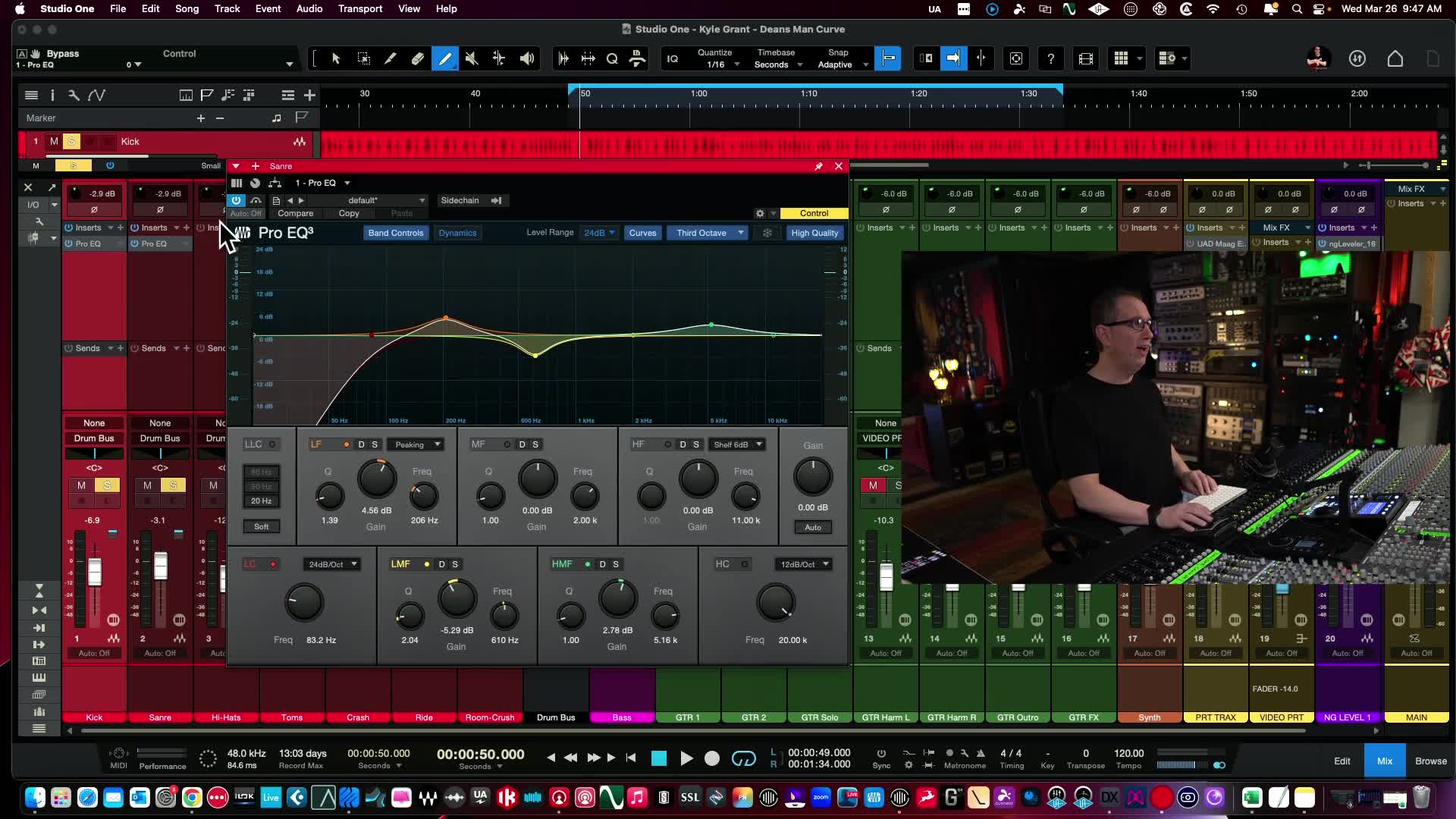
Try This In Your Own Mix
Sweep a low-mid boost between 150Hz and 250Hz and stop as soon as the snare feels thick rather than boomy. That's usually a narrower window than it sounds, so trust your ear over the exact Hz number.
3. Cut the Boxy, Nasal Frequencies
This is the step that fixes the most common beginner complaint about a snare drum: it sounds like it's trapped in a cardboard box.
David sweeps a narrow band through the 400Hz to 500Hz range with the gain boosted way up until he finds the exact frequency that sounds the most nasal and boxy, then flips that boost into a cut instead. It's a small, targeted notch, not a broad scoop, which is what keeps the body from step two intact while the boxiness disappears.
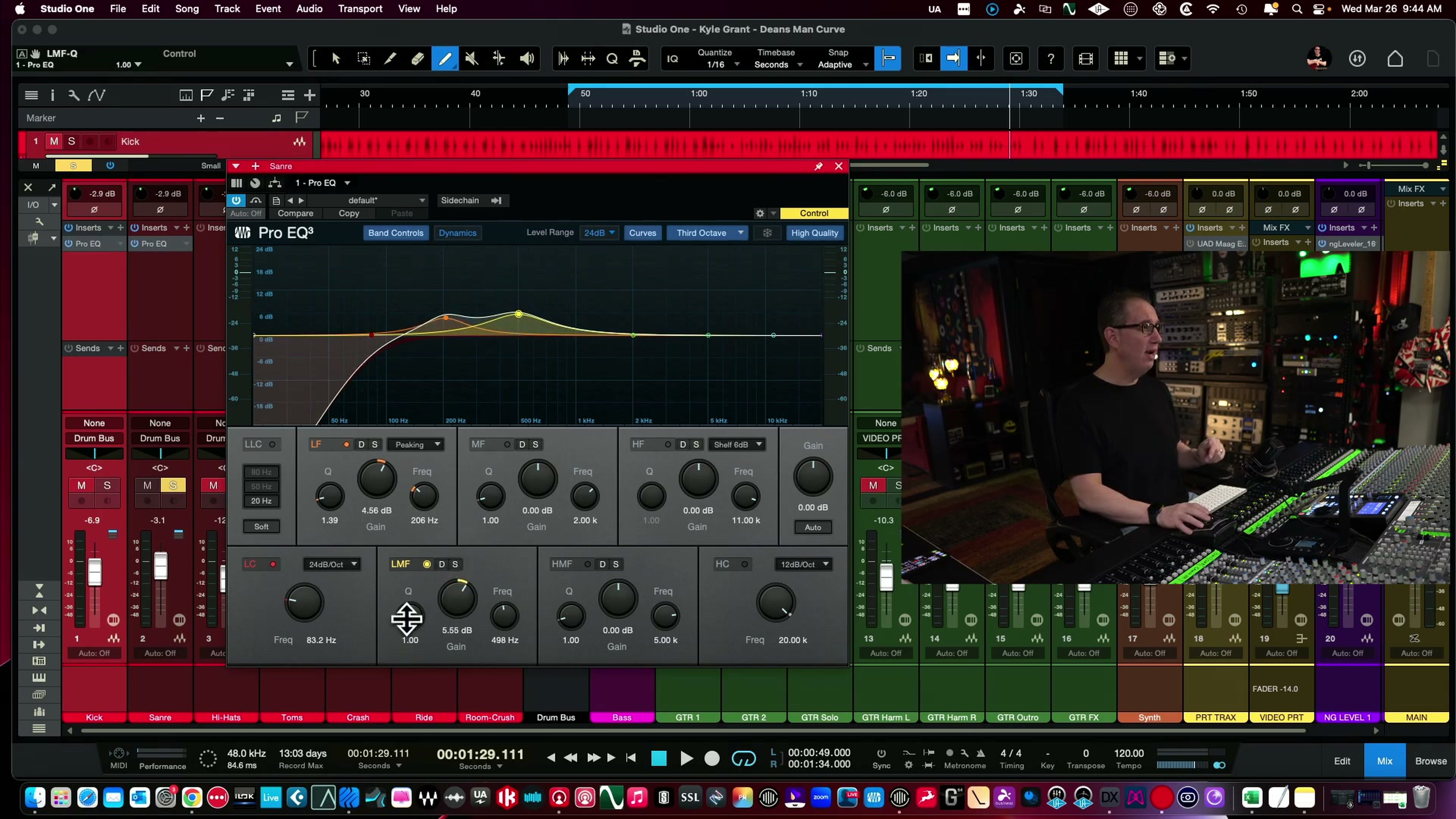
Try This In Your Own Mix
Sweep slowly through 400Hz to 500Hz with a narrow Q and a boost turned way up. The second it sounds the most annoying, stop, then flip that boost into a cut instead.
If trusting your ear to find that exact boxy spot still feels like guesswork, that sweep-and-cut technique is exactly what gets drilled step by step inside the EQ Made Easy course.
4. Enhance the High-End for Crack
The first three moves shape the snare's foundation. This one gives it the crack that cuts through a busy rock mix.
A boost somewhere between 3kHz and 5kHz brings out the crack of the stick hitting the head, the part of the snare that reads as "pop" even at low volume. David keeps this boost gentle rather than aggressive, since a few dB here goes a long way, and pushing it too hard turns crack into harshness fast.
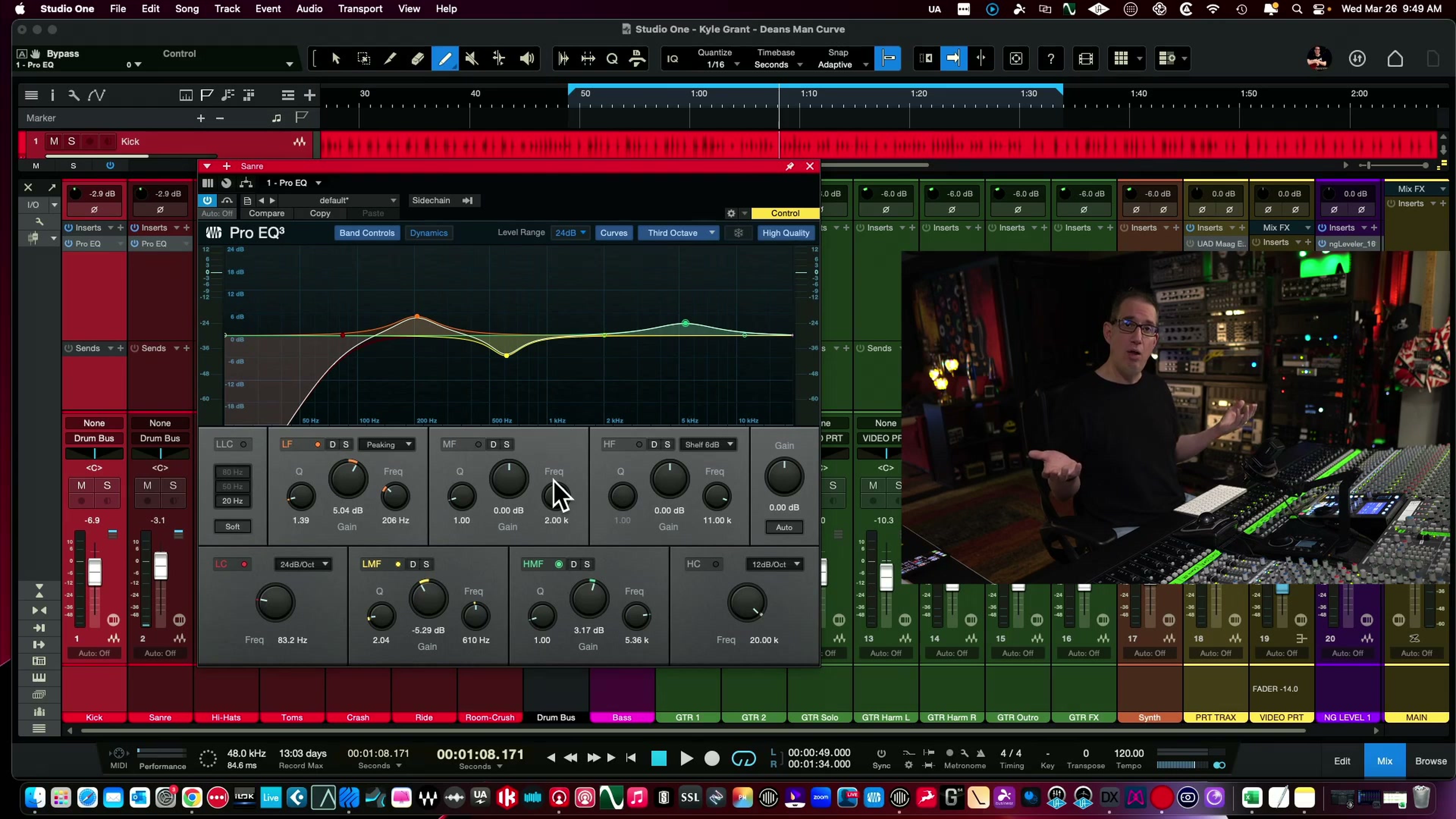
Try This In Your Own Mix
Boost 3kHz to 5kHz a couple dB at a time and stop well before it sounds bright. If the snare starts to sound harsh or brittle, you've gone past the useful range and should back off.
5. Fine-Tune the EQ in the Full Mix
Every move so far happened with the snare soloed. This last step is where most of those moves actually get corrected.
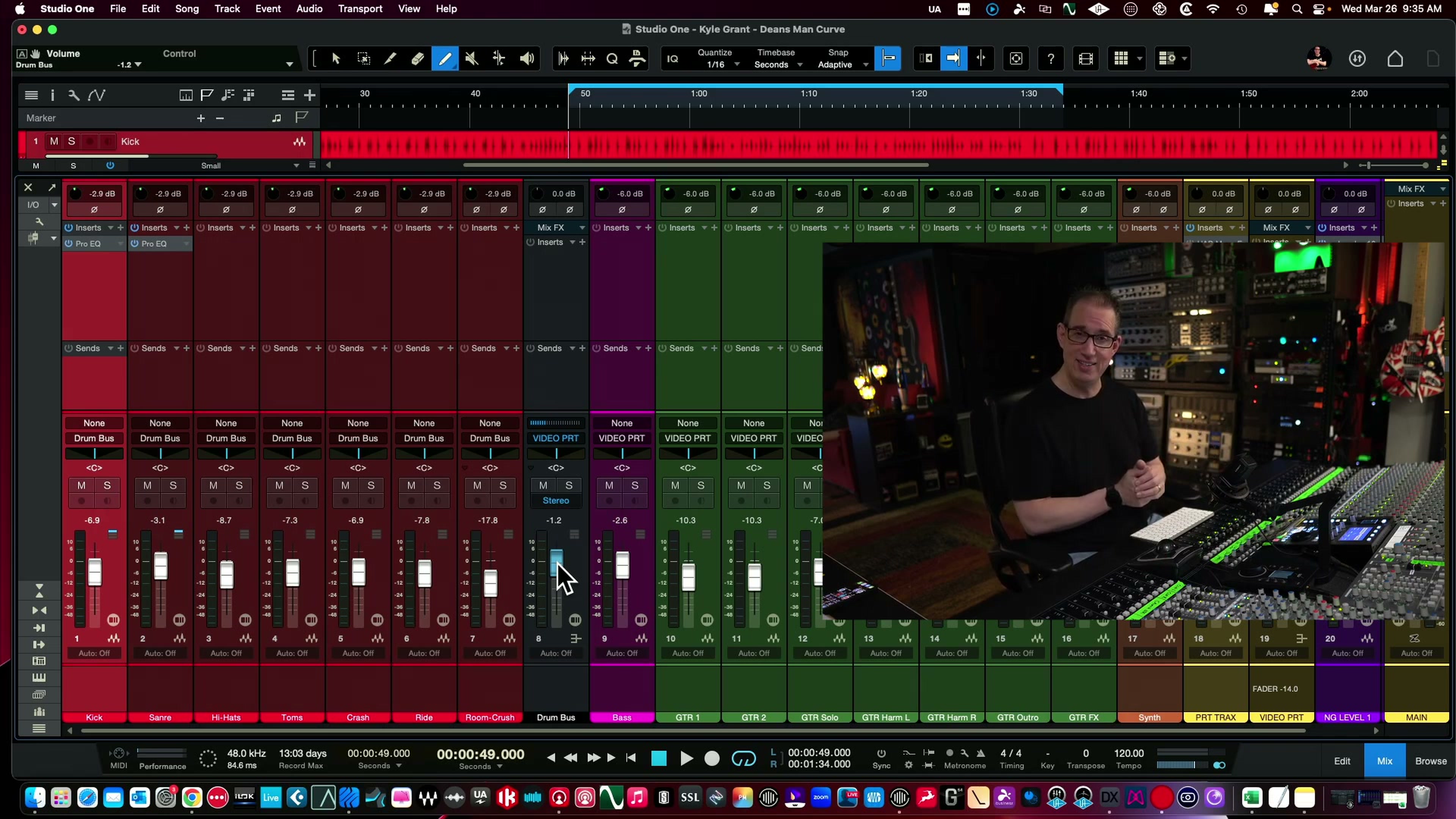
A snare that sounds perfect alone often disappears, or turns harsh, once the guitars, bass, and cymbals come back in. David's last move is pulling the full mix back up and rechecking each of the four EQ moves in context, nudging the low cut, the body boost, the notch cut, or the high-end lift until the snare sits where it should instead of fighting for space.
Try This In Your Own Mix
Never finish an EQ move with the track soloed. Bring the full mix back in and listen for whether the snare still needs everything you just did; it's common to find a boost that sounded necessary alone is actually too much once the rest of the band is playing.
What Worked, and What to Watch For
This EQ chain works because each move targets one specific problem instead of trying to fix the whole snare sound at once. That said, it's a starting point built around one specific snare drum in one specific rock mix, not a universal preset.
What Worked
- The low cut and body boost happen before the ear gets tired, in the order most likely to add clarity instead of mud.
- The boxy-frequency sweep finds the exact problem frequency instead of guessing at a generic 400Hz cut.
- Rechecking in the full mix catches boosts that only sounded necessary in solo.
What to Watch For
- These exact Hz numbers assume a fairly bright, well-recorded snare. A darker or more distorted-sounding snare may need the boost and cut frequencies shifted.
- A 150 to 250Hz body boost can turn boomy fast in genres with less low-end competition than a full rock band; back the gain off if that happens.
- Sample layering, compression, and saturation go further than EQ alone, but they're a separate step, not a substitute for getting the EQ right first.
Frequently Asked Questions About EQing a Snare Drum
1) What's the best frequency to cut to fix a boxy or nasal-sounding snare drum?
Sweep a narrow band through 400Hz to 500Hz with the gain boosted up, and cut right where it sounds the most nasal. It's usually a small, targeted notch rather than a wide scoop, since cutting too broadly there can also thin out the body added by an earlier boost.
2) What frequency should I boost for snare drum punch and crack?
A gentle boost between 3kHz and 5kHz brings out the crack of the stick hitting the head. Keep it to a few dB, since pushing this range too hard turns crack into harshness instead of punch.
3) Should I EQ a snare drum solo or with the full mix playing?
Start by soloing the track so each individual move is easier to hear, but always finish by rechecking with the full mix playing. A boost that sounds necessary alone can turn out to be too much, or not needed at all, once the guitars and cymbals are back in.
4) Do these snare EQ settings work if I'm not using Studio One or don't play rock music?
Yes. The exact plugin doesn't matter as long as it has a low cut, a couple of parametric bands, and a high shelf. The frequency ranges are a solid starting point for most genres, though a genre with less low-end competition, like acoustic or folk, may need a lighter body boost around 150 to 250Hz.
5) What's the right low-cut frequency for a snare drum?
Somewhere between 70Hz and 90Hz with a steep slope, around 24dB per octave, is the usual starting point. Raise the frequency until the snare starts to sound thin, then back it off slightly from there.
Quick Recap
Here's the full 5-step chain in order:
- Apply a low-cut filter around 70 to 90Hz to clear rumble.
- Boost 150 to 250Hz for body and weight.
- Cut the boxy, nasal frequency between 400 and 500Hz.
- Boost 3 to 5kHz for crack and punch.
- Recheck everything in the context of the full mix.
Final Thoughts
None of these five moves are complicated on their own. The order, and the discipline of rechecking in the full mix, are what actually make the difference. If you can get comfortable with this chain on a snare drum, the same logic- cut what's unwanted, boost what's missing, then confirm in context, carries over to almost every other track in your mix.
Ready to Mix Like This Yourself?
Use code ME25OFF for 25% off any single-title course (bundles excluded).
Useful Links
- How To EQ Like A Pro Even If You're New (full video)
- The Mixing Academy
- Mastering the Basics of EQ with Kick Drums: A Beginner's Guide
- Advanced Mixing Techniques for Enhancing Your Snare Drum
- EQ Made Easy course
The settings above reflect one engineer's real-time decisions on one specific snare drum in one specific rock mix. Treat them as a tested starting point, not a universal rule; your own snare, room, and genre may call for a different move.

