
Purple Audio MC77 Review: 5 Features Worth Knowing
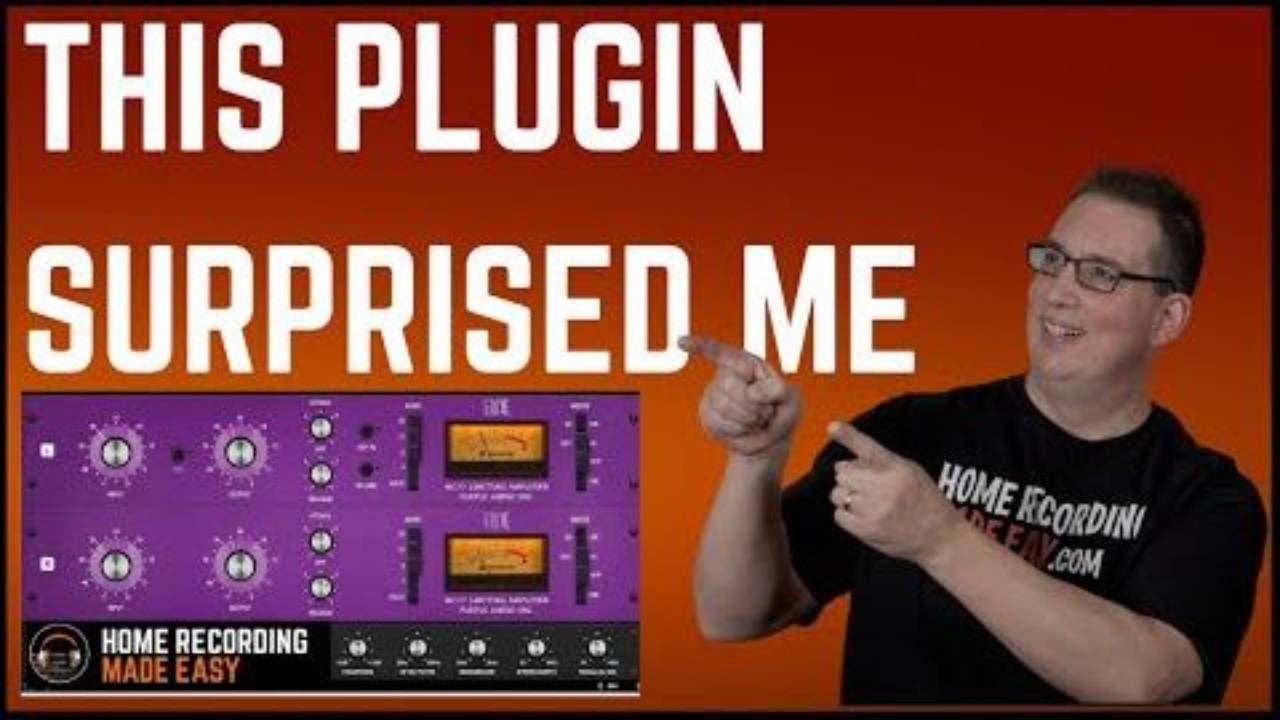
What's Included in This Purple Audio MC77 Review?
You'll get the 5 real features worth knowing on the Plugin Alliance Purple Audio MC77, demoed on drums, bass, acoustic guitar, and keyboards, plus how it actually compares to a stock 1176.
The MC77 is Purple Audio's own take on the 1176 limiting amplifier, built sometime in the early to mid '90s by David's own recollection. Plugin Alliance and Brainworx turned it into a plugin with the same circuit design and controls as the hardware, plus a second section of features that never existed on the original unit.
This isn't a sponsored review. David wasn't given this plugin by Plugin Alliance the way some others have been, he bought and demoed it on his own and says so directly in the video.
This breakdown comes from David's Plugin Alliance Purple Audio MC 77 | Plugin Review session on the Home Recording Made Easy YouTube channel.
Watch the full video to hear every source before and after, or grab the free mixing course if compression fundamentals are still new to you.
Table of Contents
- 1. All-Buttons Mode for Parallel-Style Crush
- 2. TMT: Subtle Channel-to-Channel Variance
- 3. The Sidechain HP Filter Keeps Low End From Triggering It
- 4. Headroom Is the Hidden Color Control
- 5. Mono Maker Plus Stereo Width, the Standout Feature
- What Worked, and What to Watch For
- Frequently Asked Questions About the Purple Audio MC77
- Quick Recap
1. All-Buttons Mode for Parallel-Style Crush
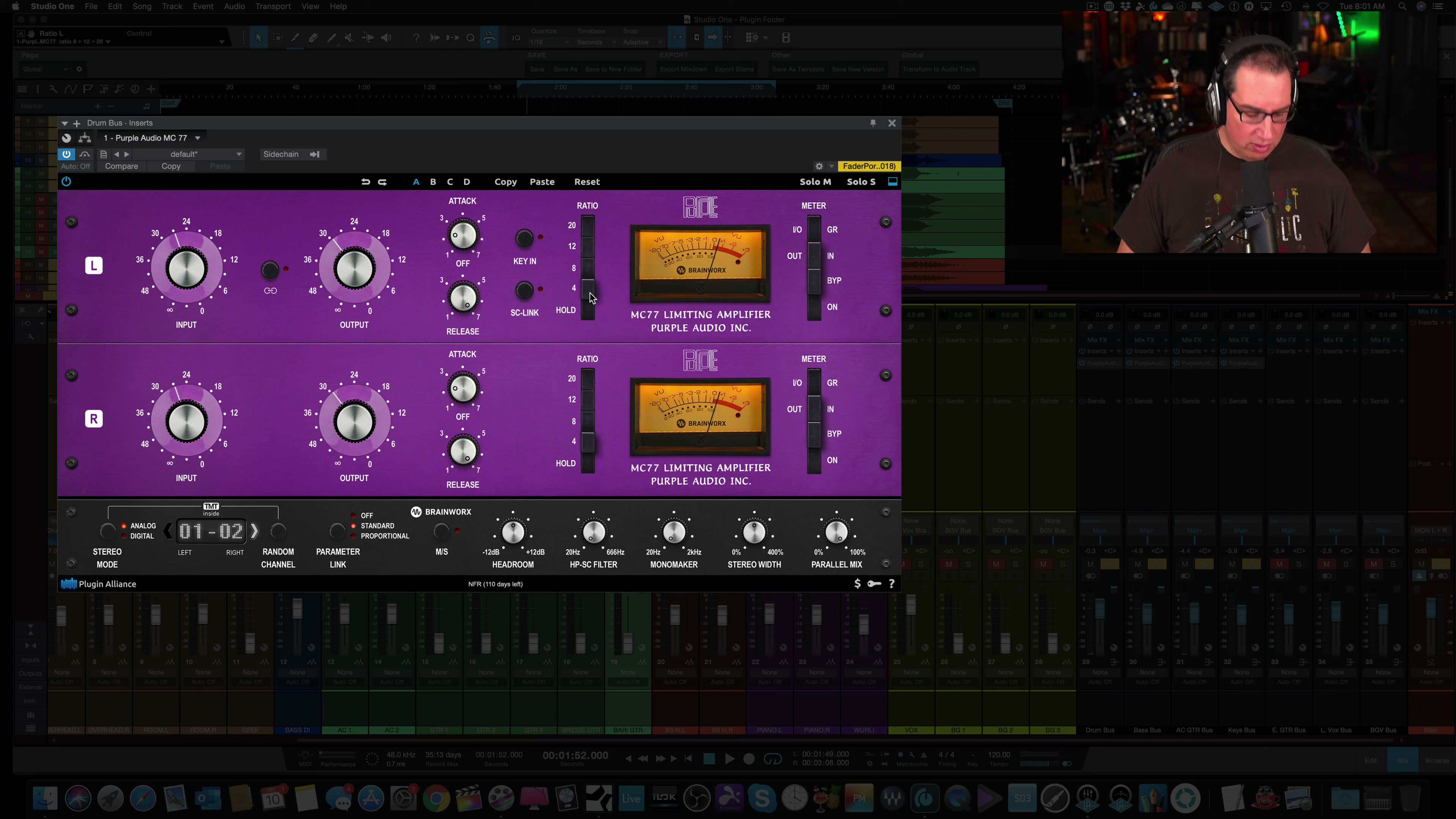
Real 1176-style hardware has a famous trick: push in all four ratio buttons at once and the compressor stops behaving like a normal compressor, crushing into a more aggressive, parallel-compression-like state. The MC77 plugin carries that same trick over, and David had to find it live on camera, which is exactly why it's worth calling out here.
Hold Command on a Mac, or Windows/Ctrl on a PC, and click the 4 ratio button. That engages All-Buttons Mode, the same famous setting engineers have used on real 1176-style hardware for decades.
Try This In Your Own Mix
On a drum bus, hold Command (Mac) or Ctrl (Windows) and click the 4 ratio button to engage All-Buttons Mode, then back the input off until it stops sounding like noise and starts sounding like glue.
If parallel compression is a new concept, the free mixing course covers the basics before you start hunting for hidden modifier-key tricks like this one.
2. TMT: Subtle Channel-to-Channel Variance
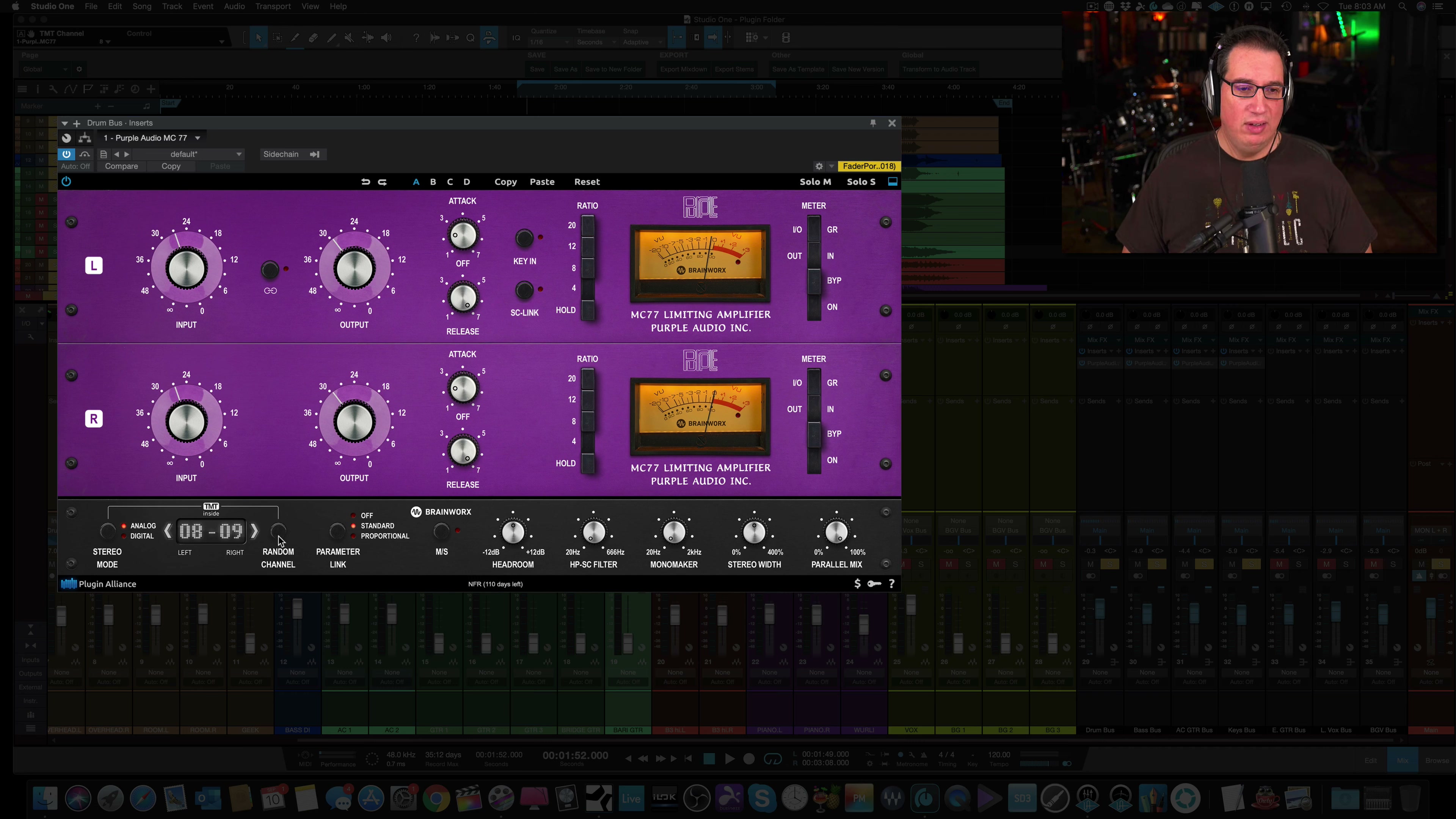
Real hardware units are never perfectly identical to each other, two physical MC77 units would sound very slightly different from one another. Brainworx's TMT modeling reproduces that same unit-to-unit variance inside the plugin instead of giving you one static-sounding emulation.
It defaults to channels 1 and 2. Hit the random channel button, or use the arrows, to cycle through different modeled channels and hear the tonal shift for yourself. David noticed it most clearly on snare.
Try This In Your Own Mix
Cycle through a few TMT channels on a snare or drum bus specifically, that's where the tonal difference is easiest to actually hear rather than just read about.
3. The Sidechain HP Filter Keeps Low End From Triggering It
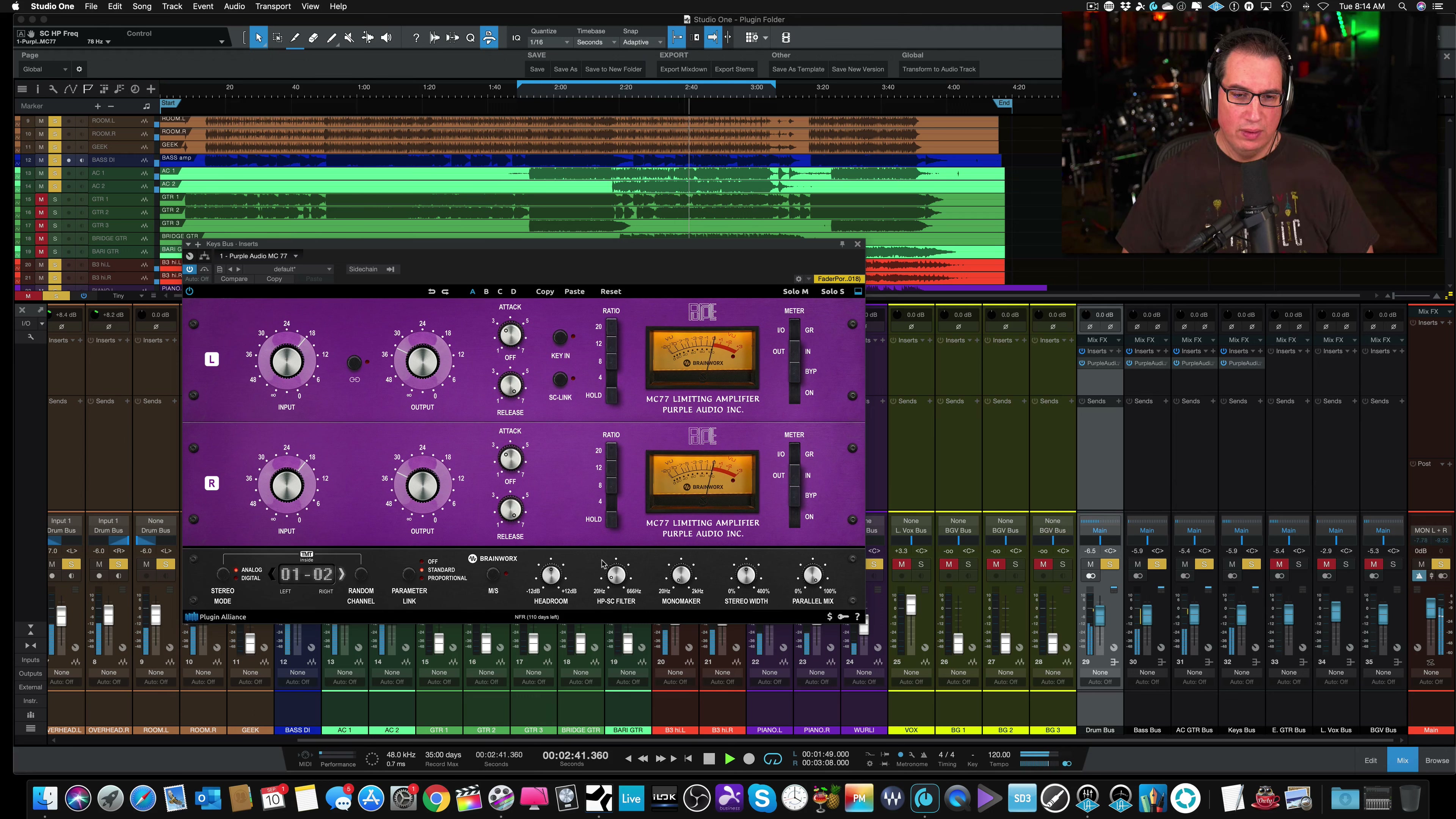
When a compressor's detector reacts to everything, including the very low end, a heavy kick drum or bass note can trigger far more gain reduction than the rest of the mix actually needs. The MC77's sidechain high-pass filter fixes that by telling the compressor to ignore frequencies below a set point.
David set this around 50 to 60Hz on a drum bus so the kick's low-end energy wouldn't over-trigger the compressor, and around 78Hz on a keyboard bus for the same reason.
Try This In Your Own Mix
On any bus where a kick or bass note is pumping the compressor more than the rest of the mix, turn up the sidechain high-pass filter to 50 to 80Hz so the detector reacts to the whole mix instead of just the loudest low end.
4. Headroom Is the Hidden Color Control
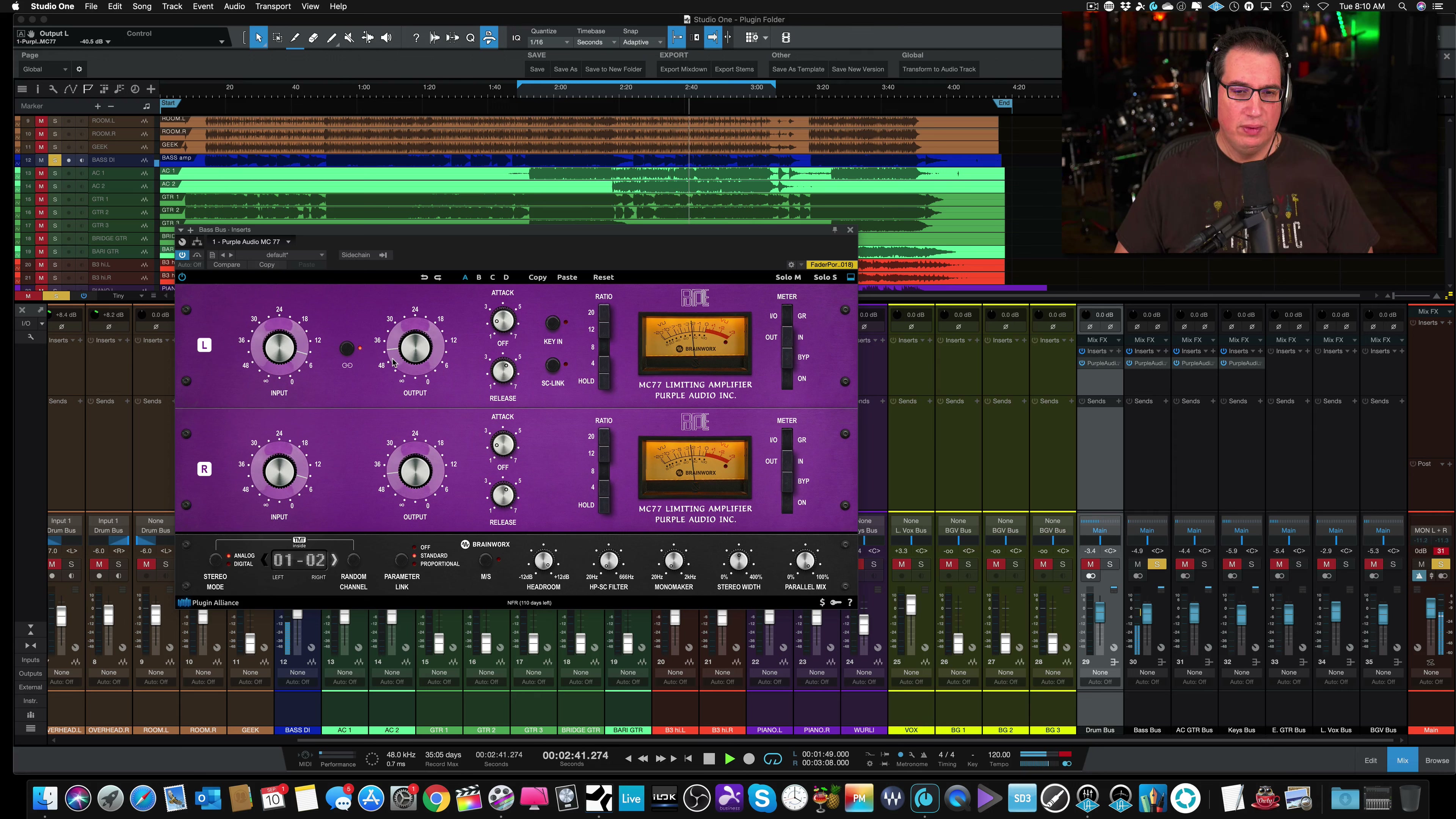
The Headroom dial gives plus or minus 12dB of headroom without touching the Input knob directly. Turning it down effectively pushes more signal into the compressor, which means more compression, and pushed far enough, some genuine grit and distortion.
"Puts a little bit of hair on it maybe."
The more the Headroom comes down, the harder the Input effectively has to work, and the more character the MC77 adds. It's a second, more surgical way to push saturation without just slamming the Input knob.
Try This In Your Own Mix
Instead of only riding the Input knob for more drive, pull the Headroom down a few dB at a time and listen for grit creeping in. It's a more controllable way to dirty up a bus than pushing Input alone.
5. Mono Maker Plus Stereo Width, the Standout Feature
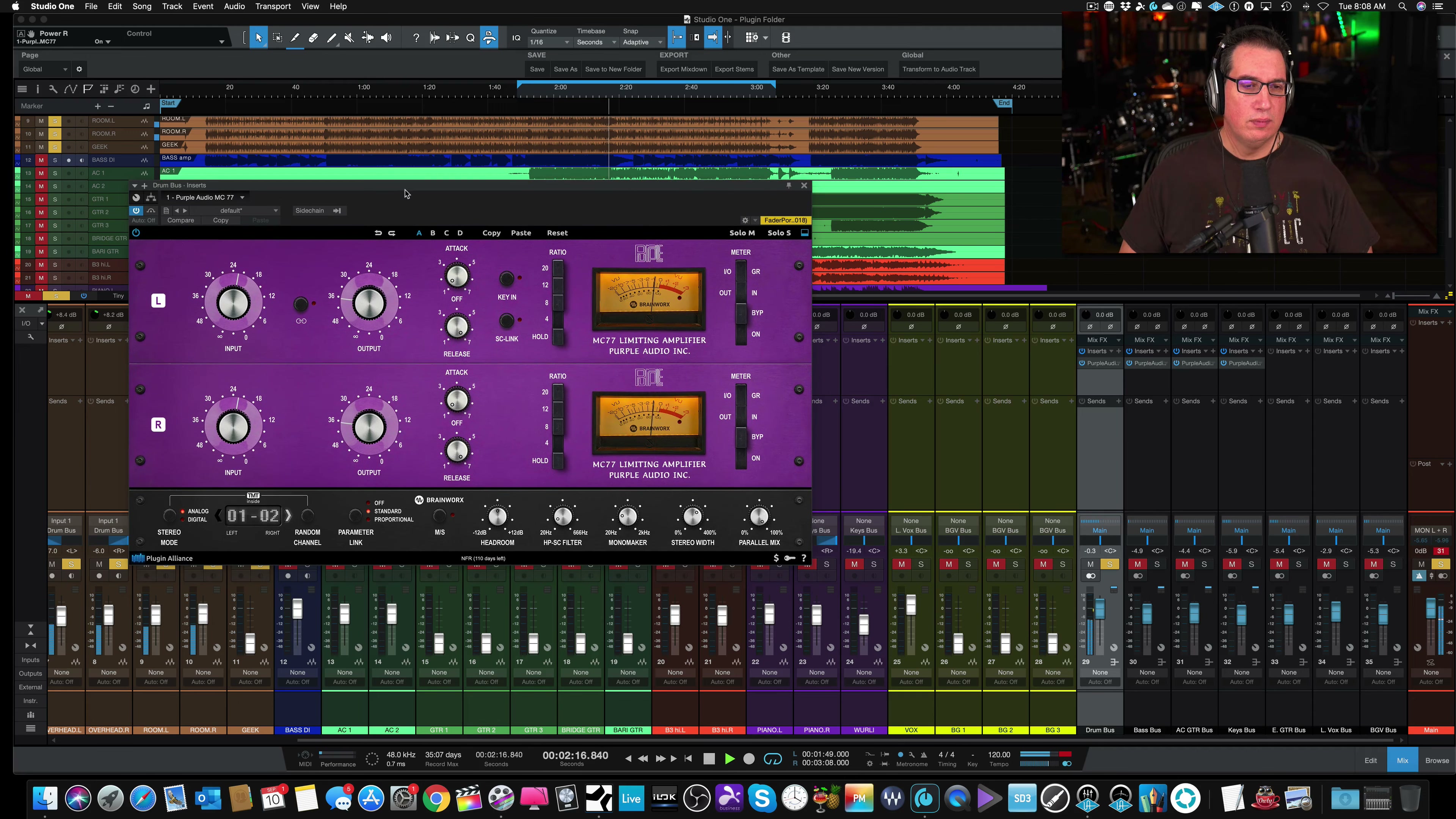
This is the feature David comes back to on every single source in the video, drums, acoustic guitar, and keyboards especially. Mono Maker keeps a chosen low-frequency range locked to the center, and Stereo Width then spreads everything above that out, wider than the source started.
On a drum bus, it noticeably opened up the toms. On keyboards, a combination of organs and piano, it pulled the whole bus out of a collapsed, narrow-sounding center and gave it real separation.
"I know I've said that a few times, that's a very cool feature on this compressor."
Try This In Your Own Mix
On a drum bus or keyboard bus, set Mono Maker around 60 to 80Hz to anchor the low end, then push Stereo Width past 12 o'clock a little at a time until the source opens up without falling apart in mono.
If you want to go deeper on stereo imaging and bus processing decisions like this one, The Mixing Academy walks through calls like these inside full real sessions, not just on a single plugin.
What Worked, and What to Watch For
The MC77 earns its comparison to a stock 1176 while adding real, usable extras on top. Here's the balanced read after hearing it across four different sources.
What Worked
- Sounds very close to a stock 1176 in character, same circuit design and control layout.
- Mono Maker plus Stereo Width is a genuinely unique, genuinely useful feature no plain 1176 emulation offers.
- The sidechain HP filter and Headroom dial both solve real, common compression problems.
- Big, clearly labeled knobs make it easy to read at a glance compared to some older plugin GUIs.
What to Watch For
- All-Buttons Mode is hidden behind a modifier-key shortcut, easy to miss if nobody points it out.
- TMT's channel-to-channel variance is genuinely subtle, don't expect a dramatic tonal shift on every source.
- Stereo Width only does something on stereo sources, it won't do much on a single mono guitar or bass track.
Frequently Asked Questions About the Purple Audio MC77
1) Is the Purple Audio MC77 plugin similar to an 1176 compressor?
Yes. It shares the same circuit design and control layout as a classic 1176-style compressor and sounds very similar in character. The difference is the second row of digital-only features, like TMT, Mono Maker, and the sidechain filter, that a typical 1176 emulation doesn't have.
2) How do you engage All-Buttons Mode on the MC77 plugin?
Hold Command on a Mac, or Windows/Ctrl on a PC, and click the 4 ratio button. That pushes all four ratio buttons in at once, the same famous trick used on real 1176-style hardware for an aggressive, parallel-compression-like crush.
3) What is TMT and why does it matter on Plugin Alliance plugins?
TMT is Brainworx's modeling technology that reproduces the subtle tonal variance between different physical units of the same hardware, the same way two real MC77 consoles would never sound perfectly identical. Cycling channels gives a subtle tonal shift, most noticeable on sources like snare.
4) How do I stop a kick drum from over-triggering compression on a bus?
Use a sidechain high-pass filter, sometimes labeled SC-HP or similar, set somewhere around 50 to 80Hz. That tells the compressor's detector to ignore the lowest frequencies so a heavy kick or bass note doesn't cause more gain reduction than the rest of the mix needs.
5) What does the Stereo Width feature actually do on the MC77?
Combined with Mono Maker, it keeps a chosen low-frequency range anchored to the center while spreading everything above it wider in the stereo field. It's most effective on stereo bus sources like drum buses, acoustic guitars, and keyboard buses, and does very little on a single mono track.
6) Is the Purple Audio MC77 plugin worth buying?
Based on this hands-on review, yes for anyone who already likes 1176-style compression and wants the extra Mono Maker, Stereo Width, TMT, and sidechain filter features on top. It isn't a sponsored recommendation, David bought and demoed the plugin on his own.
Quick Recap
Here's the full 5-feature rundown in order:
- All-Buttons Mode: Cmd/Ctrl-click the 4 ratio button for a parallel-style crush.
- TMT: cycle channels for subtle unit-to-unit tonal variance.
- Sidechain HP filter: keep low end from over-triggering the compressor.
- Headroom: pull it down for a more controlled kind of grit than Input alone.
- Mono Maker plus Stereo Width: the standout feature, opens up any stereo bus.
Final Thoughts
The Purple Audio MC77 earns its place next to a stock 1176 on character alone, but the extras are what actually make it worth a second look. Mono Maker and Stereo Width in particular solve a problem most 1176-style compressors never touch. It isn't a sponsored pick, David demoed it on his own and says he's likely to add it to his own collection.
Ready to Mix Like This Yourself?
Use code ME25OFF for 25% off any single-title course (bundles excluded).
Useful Links
- Plugin Alliance Purple Audio MC 77 | Plugin Review (full video)
- Purple Audio MC77 on Plugin Alliance
- Top Universal Audio Compressors: Types, Uses & My Favorites
- SSL 4K G Channel Strip Review: Best Native Channel Strip Plugin?
- SSL Bus+ Review: Is It Worth It?
This review reflects one engineer's honest, unsponsored opinion after demoing the plugin himself. Your own sources and sessions may highlight different strengths than the ones covered here.

