
My Favorite Slate Digital Plugins I Can't Mix With Out

By David Vignola | Home Recording Made Easy
When I’m mixing in the box, I want plugins that sound good and let me make decisions without getting buried in controls. Slate Digital has several tools I’ve used for years, and I still reach for them even with plenty of alternatives in my collection.
My favorites cover console character, bus compression, tape color, reverb, and recorded drum enhancement. Each one does a different job. Learning when to use that processing matters more than loading every plugin into every session.
Here are the five Slate tools I keep coming back to, what I like about them, and what to listen for when you try them in your home studio. The fifth, Trigger 2, is from Steven Slate Drums rather than the Slate Digital plugin collection.
Watch the full video: Top 5 Slate Digital Plugins I Can’t Mix Without
1 Add subtle console character with Virtual Console Collection
Virtual Console Collection, or VCC, is one of my longtime favorites. It brings the character of an analog mixing desk into the DAW through two modules: Virtual Channel for individual tracks and Virtual Mixbuss for bus processing.
There are six console models to choose from. You can group instances, which makes it easier to compare console choices across multiple tracks instead of changing each one separately.
What I like about VCC is that it doesn’t need to sound exaggerated. A console’s contribution can be subtle, and that’s often what I want. I’m listening for a change that supports the instruments and the overall mix, rather than an effect that draws attention to itself.
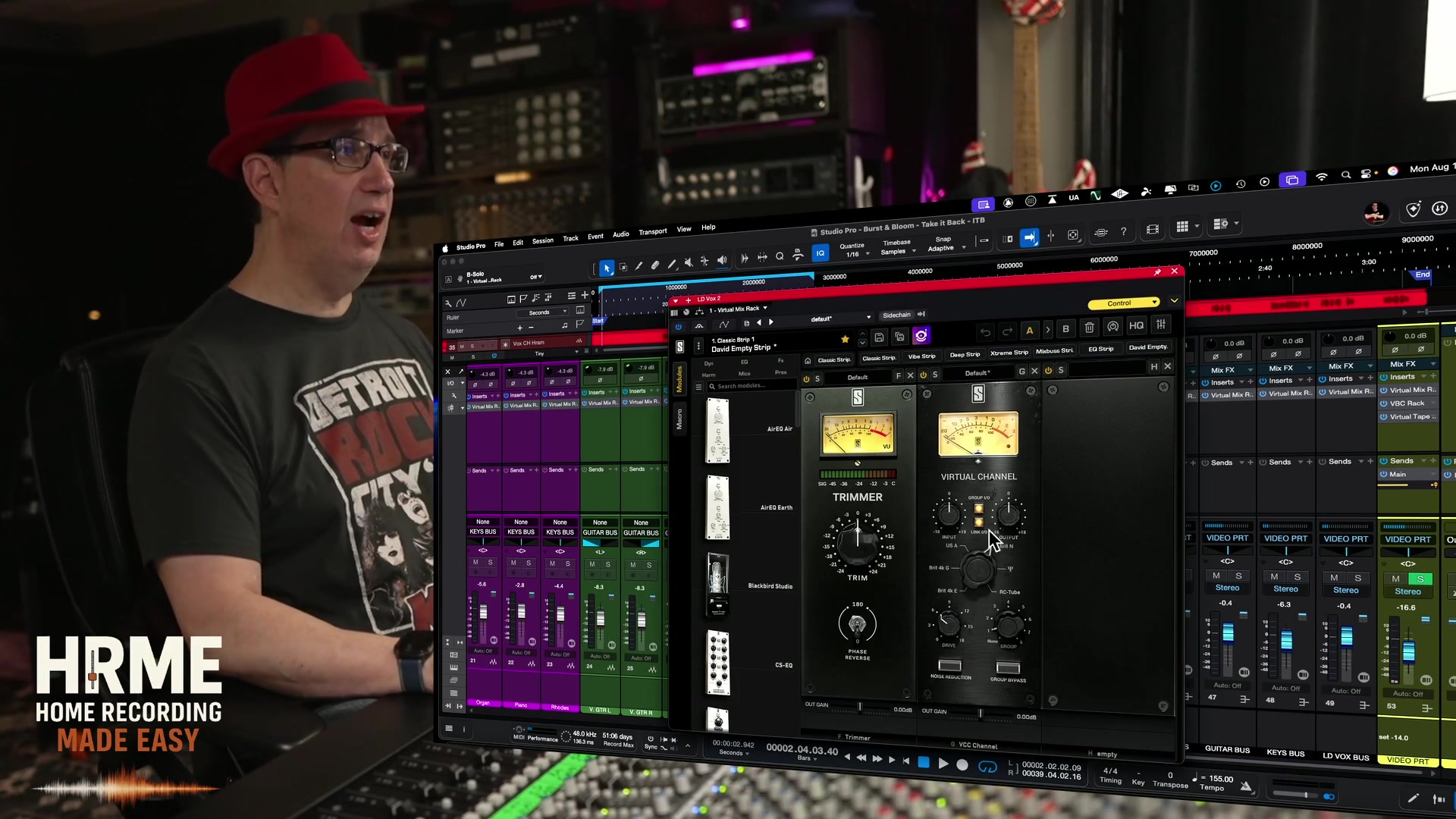
VCC sits inside the Virtual Mix Rack workflow, alongside modules for EQ, compression, saturation, and other processing. That gives me a convenient way to assemble the tools I need in one rack.
Start with a few modules you understand. Listen to what they contribute in the full arrangement and compare at a similar volume. You don’t have to fill the rack to get something useful from it.
Want to strengthen the basics first? My free mixing course uses stock plugins, so you can focus on hearing what the processing does.
2 Shape bus dynamics with Virtual Buss Compressors
Virtual Buss Compressors, or VBC, gives you three compressor characters: FG-GREY, FG-RED, and FG-MU. They can run individually or together in a rack, where you can change their order.
I particularly like FG-GREY on my drum bus and FG-MU on my master bus. Those are preferences I’ve developed through using them, rather than rules that every mix needs to follow.
On a drum bus, I’m listening for the kit to feel connected while keeping the kick and snare punchy. On the master bus, I’m paying attention to how the entire arrangement responds.
Decide what you want before turning knobs. Controlling peaks, changing the movement of the drums, and adding character are different goals. The settings that help one can work against another.
Begin with a restrained amount of compression. Listen to the groove, then bypass the processor at a similar volume. If the drums lose their impact or the whole mix feels smaller, revisit the settings or try a different approach.
3 Use Virtual Tape Machines for musical color
Virtual Tape Machines, or VTM, is another plugin I use frequently. I like having useful tape-style processing without needing to spend a long time adjusting every detail.
It includes a 2-inch 16-track machine and a half-inch two-track machine, along with different tape types and two tape speeds. There are additional controls if you want to explore them, but I don’t usually need to go deep into those settings.
In the video, I describe how VTM can soften the top end and add a musical lift in the lows. That subtle character is a big part of why I enjoy it.
The useful question is whether that tonal change suits the material. A little softening might help a bright track, but the same move could take too much energy out of something that already sounds dark.
Try it on one track or bus and compare carefully. Listen to the low-end clarity and the attack of the instruments. You want the processing to help the song, rather than adding tape color simply because the plugin is available.
4 Create space with VerbSuite Classics
VerbSuite Classics is a reverb I think people sometimes overlook. It’s been around for a while, but I still use it regularly.
Powered by LiquidSonics technology, it brings together recreations of classic digital reverbs. I like the variety, the useful presets, and the balance between flexibility and straightforward controls.
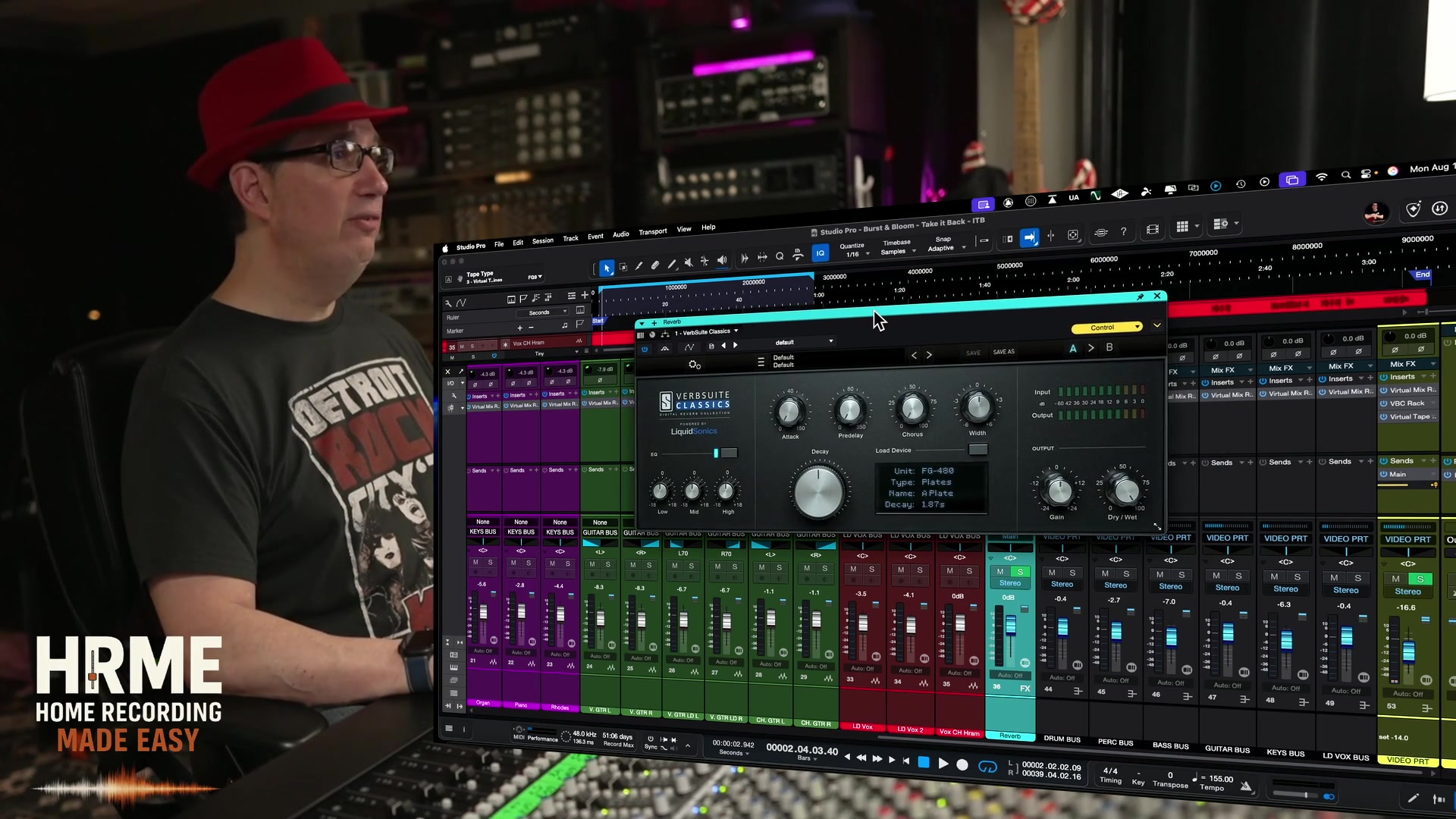
Before choosing a preset, think about the space you want to create. A vocal may need a sense of depth while remaining upfront. A snare may benefit from a longer tail that adds size. Another part might only need a small amount of room.
Start with a suitable preset, then adjust the decay, tone, and level while the arrangement is playing. Reverb that sounds impressive on a soloed track may crowd the vocal or blur the rhythm in the full mix.
If you already own VerbSuite Classics, spend some time learning its different sounds before assuming you need another reverb. It’s one I’d be comfortable recommending as a versatile tool to explore thoroughly.
5 Reinforce recorded drums with Trigger 2
Trigger 2 is from Steven Slate Drums, and I include it because it’s another Slate tool I’ve used for years. It works with recorded drum audio to trigger samples that reinforce or replace the original sounds.
Those two approaches serve different needs. You might like the recorded snare and only want a little extra weight or consistency. Another recording might need more substantial replacement.
Start by listening to what is already working. Choose a sample that fits the kit and the song, then check how it blends with the close microphones, overheads, and room tracks.
Listen for missed hits, false triggers, and timing or phase issues that make the combined sound weaker. The loudest or most impressive sample in isolation won’t necessarily be the best choice in the arrangement.
The goal is to improve the drum sound while keeping the performance convincing. You can support a drummer’s playing without making every hit feel identical.

A bonus inside Virtual Mix Rack
I also like the Hollywood, London, and New York modules in Virtual Tube Collection. They offer different flavors of tube-style saturation inside the Virtual Mix Rack workflow.
In the video, I explain how a restrained amount can add harmonic character. Start low and compare. When you’re processing the entire mix, a small change can be enough.
For a wider look at using these types of processors in a complete mix, see Mixing With Analog Style Plugins Made Easy.
Common questions about Slate mixing plugins
Do I need all five plugins to make a good mix?
No. Start with a good balance and use processing to address something you hear. Learn a few tools well before adding more choices.
Are Virtual Console Collection and Virtual Mix Rack the same thing?
No. VCC provides console-style processing through Virtual Channel and Virtual Mixbuss. Virtual Mix Rack is the rack environment that can host those modules alongside other processors.
Does Trigger 2 create drum parts from MIDI?
Trigger 2 is designed to trigger samples from recorded drum audio. Its purpose here is reinforcing or replacing sounds in an existing performance.
Choose the tool that helps your next mix
These are plugins I enjoy using because they have clear jobs in my workflow. VCC provides console character, VBC handles bus compression, VTM adds tape-style tone, VerbSuite Classics creates space, and Trigger 2 helps with recorded drums.
Pick one area to explore on your next mix. Listen to the change in context and keep it only if it helps. Knowing why you’re using a plugin is more valuable than owning another collection of tools.
If you’re still building that foundation, my free 90-minute course shows you how to work with stock plugins and make more confident mixing decisions in your own DAW.

