
Kazrog TSL-5 Review: 5 Ways to Use This Tube Limiter on a Mix
What's Included in This Kazrog TSL-5 Review?
This Kazrog TSL-5 review covers the controls, three real uses on a mix, and how the transformer blend changes the sound.
Kazrog built the TSL-5 with Inward Connections, a company that makes really high-end, sought-after analog hardware. The plugin emulates their TSL-5 stereo tube limiter. In my session it showed up as Vac Rac TSL, since I was running a pre-release version.
This isn't a sponsored video, and I'm not being paid for it. Kazrog was kind enough to share the plugin with me before release and asked if I wanted to make some content, and I liked it enough to say yes.
Even if you don't buy this plugin, the ideas apply to any tube or opto compressor you already own. The song is "My World" by Liza Colby, mixed mostly with Black Salt Audio plugins. You can watch the full test on the Home Recording Made Easy YouTube channel, or here: Kazrog TSL-5 video.
Table of Contents
Jump to any section below.
- Kazrog TSL-5 Controls and Processing Options
- Tube Compression on the Mix Bus
- Transformers vs. Transformerless: Why It Gets Louder
- Using a Tube Compressor on the Drum Bus
- Thickening a Bass Bus With the TSL-5
- What Worked, and What to Watch For
- Kazrog TSL-5 FAQ
- Quick Recap
- Final Thoughts
1. Kazrog TSL-5 Controls and Processing Options
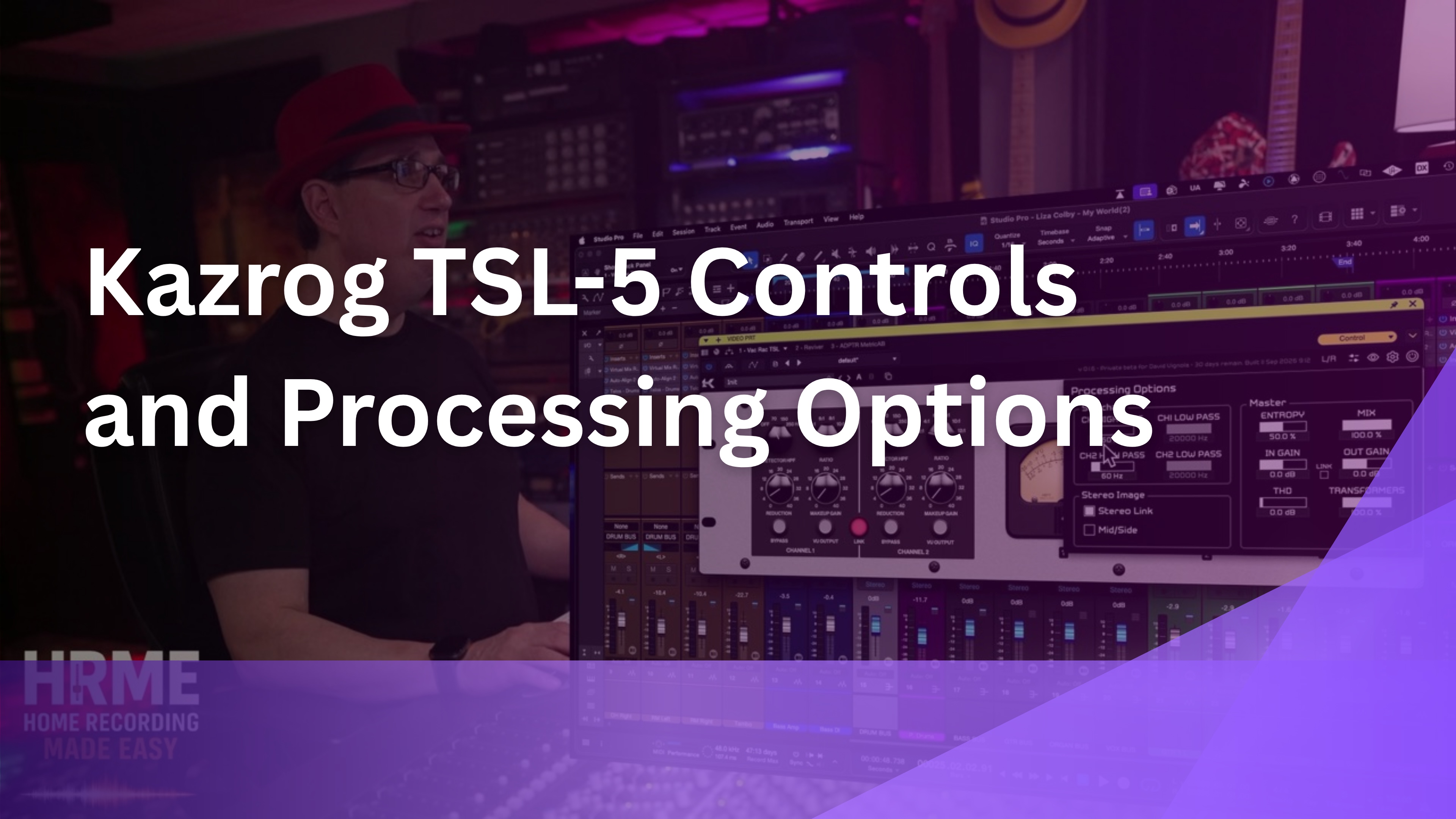
The Kazrog TSL-5 controls on the front panel are simple. Each channel has a detector high pass filter, a ratio from 2:1 up to 12:1, a reduction knob, and makeup gain. You can switch the meters between output and gain reduction, link the channels, and run it in stereo or mid-side.
"It's kind of like an LA-2A. You just turn it up and you're going to see compression happen on the meters." [4:57]
The processing options panel is where it goes deeper. You get sidechain high and low pass filters, an entropy control that adjusts the tolerance variation of the virtual analog components for greater stereo width, input and output gain, mix, THD for a little crunch, and a transformer blend, where 100% is stock with transformers and 0% is transformerless.
In the settings you can set oversampling, which affects CPU. I had it at 8, dropped it to 2 to show the CPU savings, and on a modern computer you can go up to 16. You can also switch the look from white to brown, which I like better.
Try This In Your Own Mix
Leave the processing options at their defaults for your first pass. Set the ratio and reduction on the front panel first, then explore THD and transformers once you know the basic sound.
If ratio, reduction, and makeup gain still feel like guesswork on any compressor, the free 90-minute mixing course walks through the basics before you add tube color on top.
2. Tube Compression on the Mix Bus
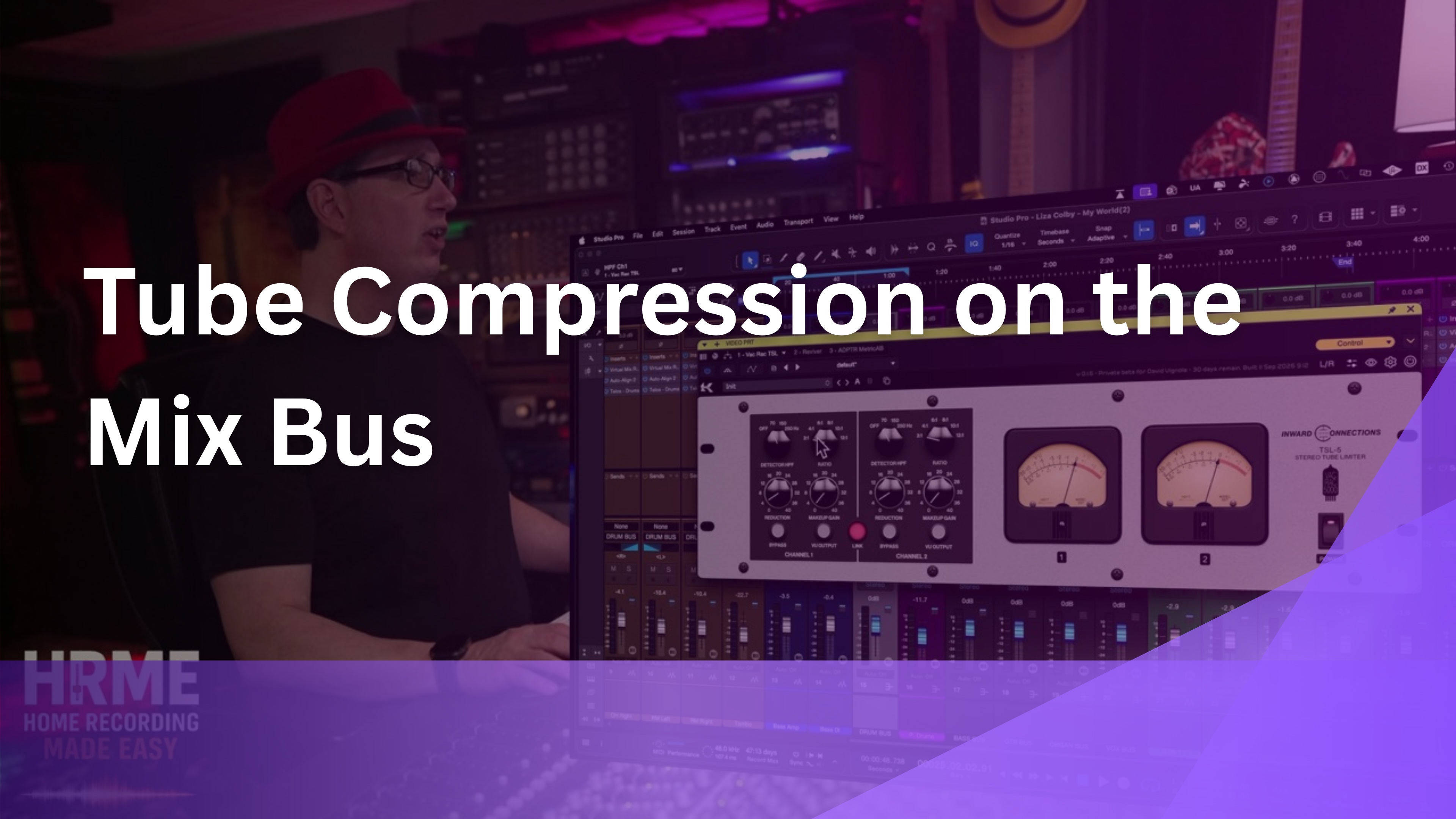
I started with tube compression on the mix bus, with the detector high pass filter at around 60 Hz. Like most tube compressors, plugin or hardware, it did two things right away.
"You get a nice thick, rich low end. It tightens up the low end and it just gives you a little bit more of a bump." [6:46]
The second thing is on the top end. If there was any harshness at the top of the mix, it smoothed that out a little, which makes it really nice. Overall it's a nice little squeeze that makes everything feel more glued and more rich.
In the video I was compressing a little more than I would on a mix bus so you could hear it. When I dialed back the reduction, the snare got more body, and it sounded great. THD goes as high as 40, but I don't recommend that on a mix bus.
Try This In Your Own Mix
Set the detector high pass to about 60 Hz on your mix bus, raise reduction until you hear the squeeze, then back it off until it just glues.
3. Transformers vs. Transformerless: Why It Gets Louder

The transformer blend was the most interesting control to play with. When I turned the transformers off completely, the first thing you hear is that it gets louder.
"Why is that? Because transformers are going to add some nice compression." [8:02]
This is already a compressor, but hitting transformers adds a more pleasing sound, a few more harmonics, and a little volume reduction because they're doing a bit of gain reduction of their own. Take them out and you lose that, so the level goes up.
That gives you a simple way to shape the TSL-5 for each job. With transformers all the way up you get the full, richer sound. Turn them down and the compressor gets cleaner and punchier, which is how I ended up using it on the drum bus.
Try This In Your Own Mix
Sweep the transformer blend from 100% to 0% and level match as you go, so you're judging tone and not the volume jump.
Hearing the difference between tone and volume is the skill that makes every compressor easier. The Mixing Academy gives you a new set of multitracks every month to mix along with me step by step, so you train your ears on real songs.
4. Using a Tube Compressor on the Drum Bus

A tube compressor on the drum bus isn't always my first choice, but the TSL-5 sounded really great there. I set the detector high pass to 70 Hz so the kick wouldn't drive the compression.
I started with a few dB of compression at 4:1, then moved to 2:1, because the kick and snare already had compression on their individual tracks. To get a little more punch, I turned the transformers all the way down on the drum bus.
"Not always my first choice, a tube kind of compressor on a drum bus, but this sounds really great." [11:43]
When I put the drums back in the mix and bypassed it, the drums cut through the mix nicely with it on. If you're running several instances like I was, on the mix bus, drum bus, and bass bus, it makes sense to use the transformers fully on the mix bus and turn them down on the drum bus.
Try This In Your Own Mix
If your kick and snare are already compressed, start your drum bus at 2:1 with the high pass around 70 Hz, and turn the transformers down if you want more punch.
5. Thickening a Bass Bus With the TSL-5
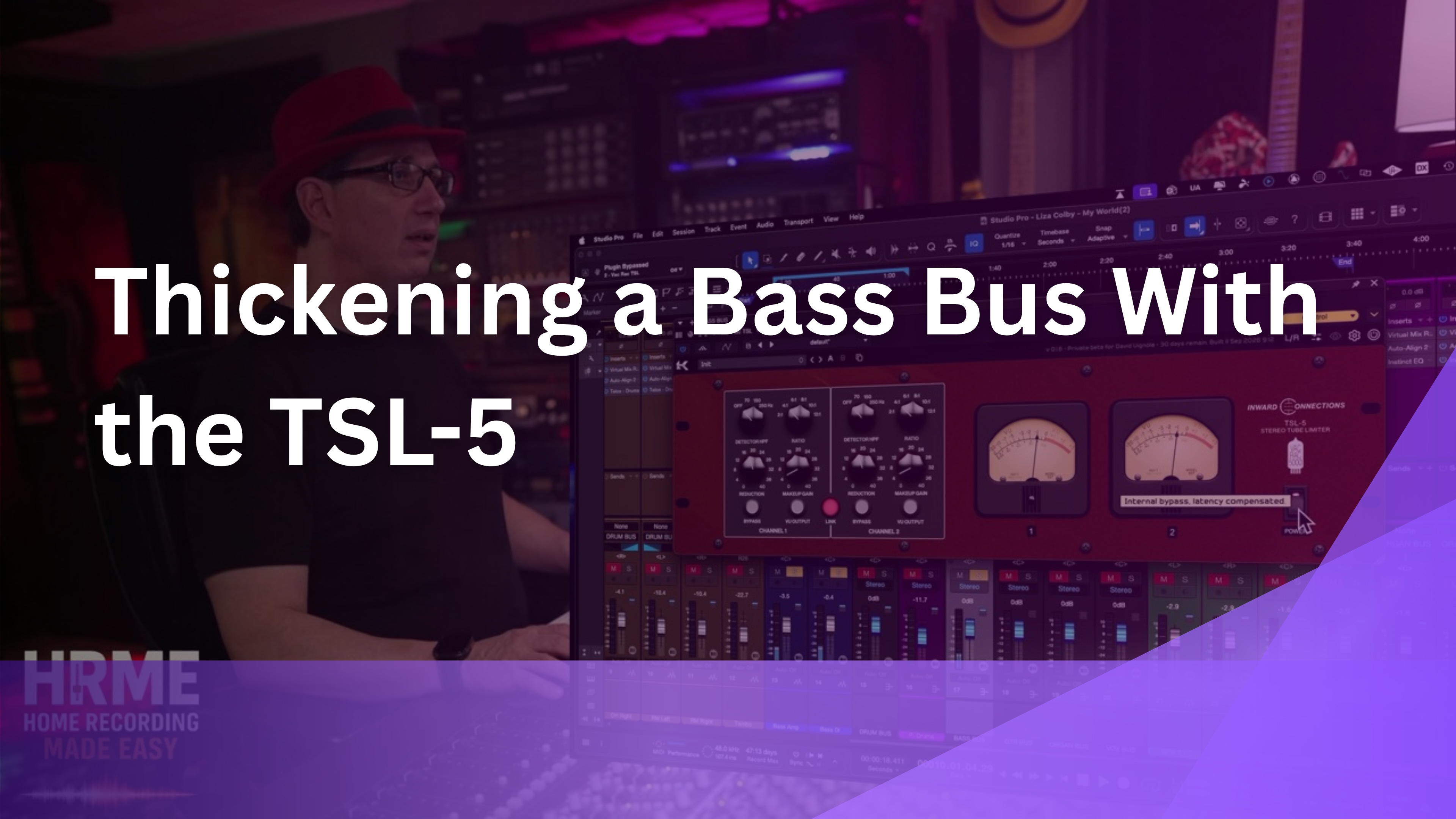
The last test was thickening a bass bus, something with really super low end. I switched the interface to brown for this one, since I like that look better.
"So it just thickens it up again, really, really cool." [13:00]
On the bass alone, it did what it did on the mix bus: a thicker, richer low end. When I brought the bass back into the full mix and bypassed the TSL-5, the difference was easy to hear.
That's the common thread across all three buses. Whether it's the whole mix, the drums, or the bass, this plugin adds weight and glue without making things harsh. On a source with a lot of low end like bass, that's exactly the kind of help you want from a tube limiter.
Try This In Your Own Mix
Solo your bass bus, add gentle tube compression until it sounds thicker, then unsolo and bypass in the full mix to confirm it still helps.
What Worked, and What to Watch For
Here's my take after using the TSL-5 on the mix bus, drum bus, and bass bus of the same song. This was a pre-release version, so a few details could change in the final release.
What Worked
- Thick, rich, tighter low end on every bus
- Smoothed out harshness at the top of the mix
- Simple LA-2A-style reduction control
- Transformer blend for a cleaner or richer sound
- Stereo or mid-side, plus a brown interface option
What to Watch For
- Turning transformers off makes it louder, so level match
- High THD settings get crunchy fast
- Higher oversampling uses more CPU
- Easy to over-compress on a mix bus
I wish I owned the Inward Connections hardware, but it's pretty pricey. This plugin is a really great emulation of a great stereo tube limiter, and none of the watch-outs above are problems with the sound itself. They're just things to keep an eye on while you dial it in.
Kazrog TSL-5 FAQ
1) What is the Kazrog TSL-5?
It's a plugin emulation of the Inward Connections TSL-5 stereo optical tube limiter, made by Kazrog together with Inward Connections.
2) Is a tube compressor good on the mix bus?
It can be. On this mix, the TSL-5 thickened and tightened the low end, smoothed harshness at the top, and made everything feel more glued, as long as I kept the reduction modest.
3) Why does the TSL-5 get louder when I turn off the transformers?
The transformers add their own compression and harmonics, which slightly lowers the level. Going transformerless removes that, so the output gets louder.
4) What ratio should I use on a drum bus?
If your kick and snare are already compressed on their own tracks, start around 2:1. I moved from 4:1 to 2:1 for exactly that reason, with the high pass at 70 Hz.
5) Was this a sponsored review?
No. I wasn't paid. Kazrog shared the plugin with me before release and asked if I wanted to make content, and I did because I liked it.
Quick Recap
Here are the five takeaways from this Kazrog TSL-5 review, in the same order as the sections above. Every test was run on the same section of Liza Colby's "My World," and each one is shown and heard in the full video, so you can compare what I describe here with your own ears.
- Simple front panel, deeper processing options
- On the mix bus: thicker lows, smoother top, more glue
- Transformerless is louder and cleaner, transformers are richer
- On the drum bus: 2:1, 70 Hz high pass, transformers down for punch
- On the bass bus: it just thickens it up
Final Thoughts
I like this plugin a lot. If you're looking for a stereo optical tube limiter, the TSL-5 is a really cool one. It sounded great on the mix bus, on the drum bus, and on the bass bus of the same song.
If you want to know more about the hardware it's based on, look up Inward Connections. They're really popular in the analog world, and their gear is pretty pricey, which is what makes a plugin version appealing for a home studio.
I hadn't used Kazrog plugins in a while, and this one reminded me they make some really cool stuff. I'm going to reach out and see what else they have that I haven't looked at yet. For now, start with the front panel, keep the reduction modest on your mix bus, and use the transformer blend to decide how rich or clean you want it on each bus.
Ready to Mix Like This Yourself?
A great compressor won't tell you how much to use or where. Knowing when to back off the reduction, or when to pull the transformers down for punch, comes from mixing real songs and hearing the result in context, not from memorizing settings.
The Mixing Academy gives you a brand new set of multitracks every month to mix along with me step by step, plus live coaching calls and personal feedback on your mixes. You'll also connect with other mixers working on the same songs. Use code ME25OFF for 25% off any single-title course (bundles excluded).
If you're brand new, start with the free 90-minute mixing course and build from there before adding tube color plugins to your chain. And to hear the TSL-5 on all three buses, the Watch the Full Session button takes you to the video.
Useful Links
Everything referenced in this Kazrog TSL-5 review, plus related posts from the blog:
- Full Kazrog TSL-5 video
- The Mixing Academy
- Free Mixing Course
- Purple Audio MC77 Review: 5 Features Worth Knowing
- The Versatility of the Solid State Logic Bus+ Compressor
- Fast Drum Mixing With Black Salt Audio Telos Presets
These are one engineer's impressions from a pre-release version shared by Kazrog, with no payment for the review. Settings are program dependent, and the final release may differ, so treat this as a starting point and set yours by ear.

